
Availability
- Included: When you buy a supported retrofit kit from Retrofit.nu, the required activation for that retrofit is included. The activation is delivered via RetroLab Pro.
- Also available separately: If you sourced OEM parts elsewhere, you can still purchase the activation/coding service from us (when supported).
Activation Process
- Install the OEM retrofit hardware (or have it installed).
- Connect a Windows PC to the car using an ENet cable.
- Open RetroLab Pro → press Connect → press Activate.
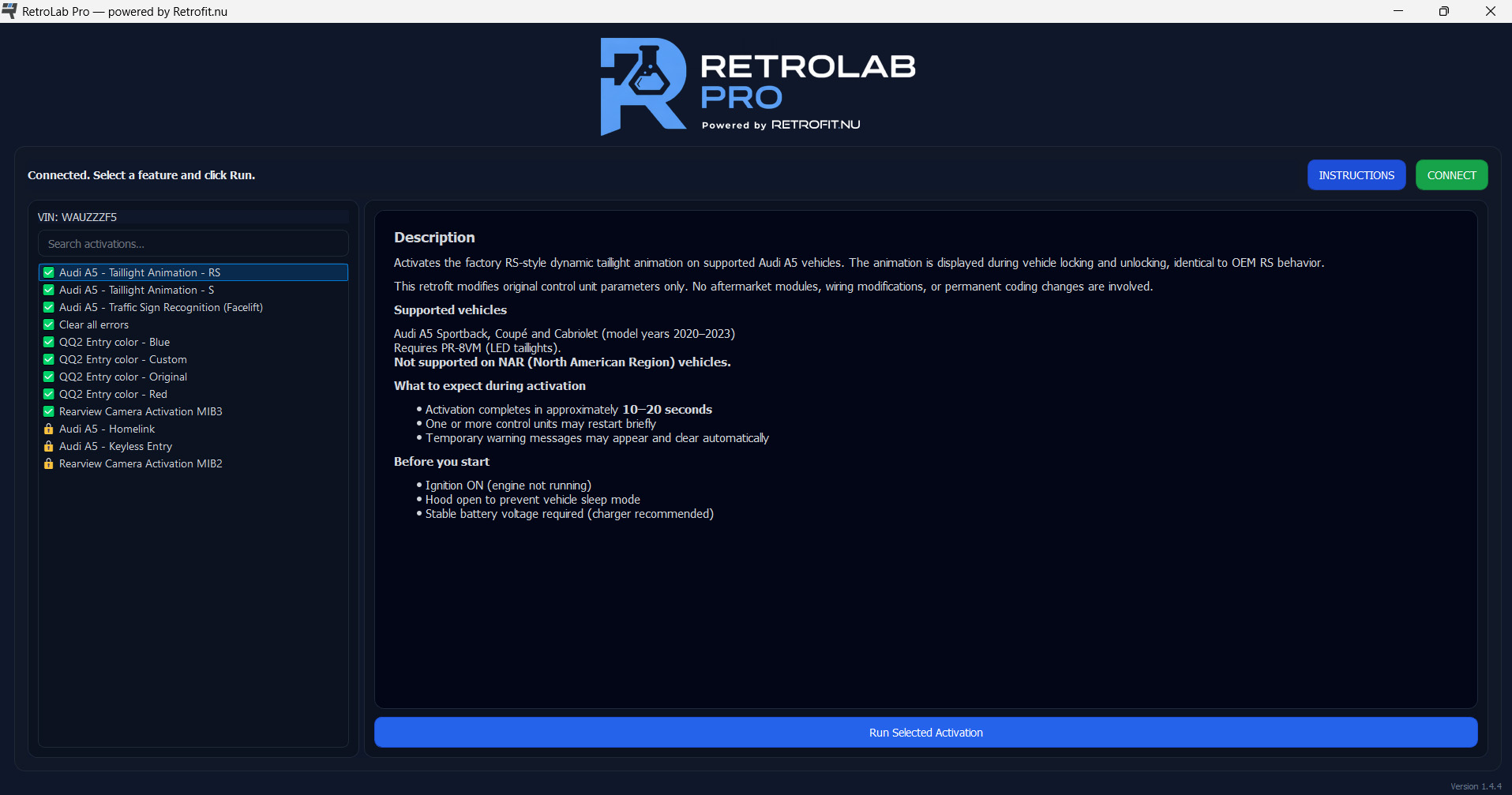
Example view of the RetroLab Pro app. Available functions depend on vehicle configuration and installed OEM hardware.
Supported Audi Activations & Retrofit Examples
Below are popular examples. Availability depends on model year, equipment, and installed OEM hardware.
If you are looking for a function that is not listed in the webshop, contact us. In many cases we can create a VIN-specific activation in RetroLab Pro — as long as your vehicle and installed OEM hardware support it.
Availability depends on model year, software protection (2024+), and installed equipment. We confirm compatibility before purchase.
Supported Audi Models (MLBevo Platform)
RetroLab Pro is designed for Audi vehicles based on the MLBevo platform up to and including model year 2023, where controlled OEM activation is possible.
- Audi A4 (B9 / B9.5)
- Audi A5 (F5)
- Audi A6 (C8)
- Audi A7 (C8)
- Audi Q5 (FY)
- Audi Q7 (4M)
- Audi Q8 (4M)
- Audi e-tron (GE)
Support depends on vehicle equipment and installed OEM hardware. Each product page clearly states compatibility and requirements.
Model Year 2024+ (Software Protection)
Audi model year 2024+ uses enhanced software protection that limits what can be activated outside an authorized environment. For these vehicles, supported activations may require an on-site visit at our workshop in Vellinge, Sweden.
Requirements
- Windows PC with internet access
- ENet cable (OBD to Ethernet)
- Installed OEM retrofit hardware that matches the activation
Important Note
RetroLab Pro is not a generic coding tool. It is a controlled activation system built for reliability — it only offers supported functions for the specific vehicle and retrofit. Learn more and download at retrolabpro.com.
Need OEM retrofit hardware? Browse our full range at Retrofit.nu — activations for supported kits are included.
Factory behavior. Clear compatibility. No guesswork.