

€22.73
In stock

Brand: Retrofit.nu
Reference: AUD-A4B9-ACT-TA
Brand: Audi
Reference: AUD-A5F5-ACT-TSR
Brand: Audi
Reference: AUD-ETGE-ACT-FOD-BUNDLE
Brand: Audi
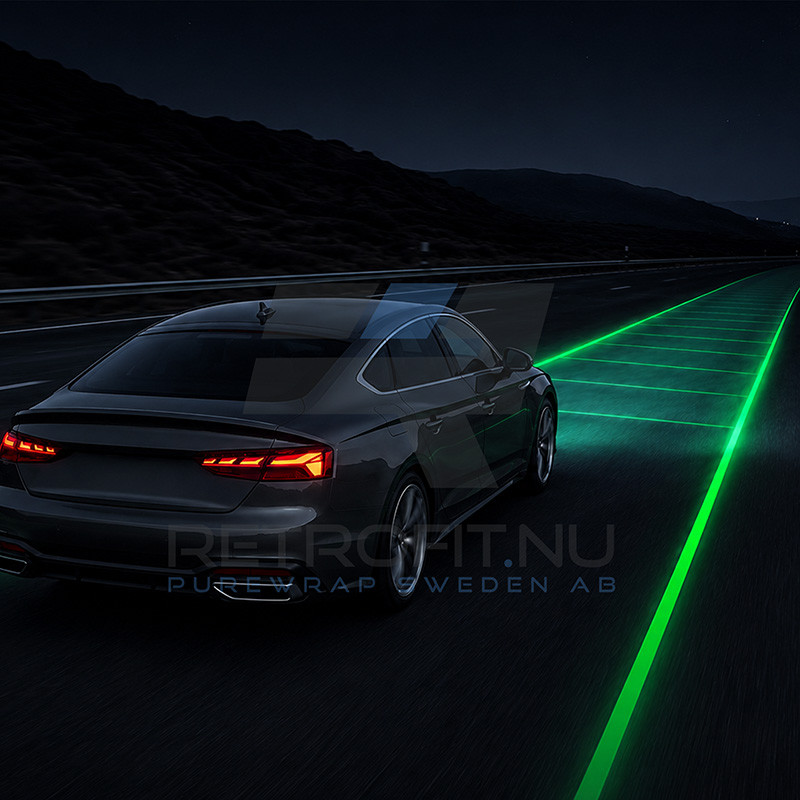
Activate the factory Lane Assist function on supported Audi A5 F5 vehicles equipped with the original front camera. This activation enables the OEM Lane Assist functionality already supported by the vehicle hardware, allowing the front camera to monitor lane markings and assist the driver in keeping the vehicle within its lane.
The activation is performed using RetroLab Pro and enables the original Audi Lane Assist functionality without replacing the front camera or installing additional control units, provided the vehicle is already equipped with the required factory camera PR-QK1.
If the vehicle is not equipped with the original Lane Assist button on the steering column stalk, the function can still be fully activated. Lane Assist can then be enabled or disabled directly through the RetroLab Pro App.
Lane Assist uses the factory front camera mounted behind the windshield to detect visible lane markings while driving. When the system is active and the required operating conditions are met, the vehicle can provide steering assistance to help keep the vehicle within the detected lane.
The activation enables the original functionality already supported by the vehicle's camera and control systems. Lane Assist continues to operate using the factory Audi hardware and vehicle systems.
Some Audi A5 F5 vehicles are equipped with the required front camera but do not have the dedicated Lane Assist button on the steering column stalk.
This does not prevent Lane Assist from being activated. After activation, the Lane Assist function can be enabled or disabled directly using the RetroLab Pro App, so replacing the steering column stalk is not required.
Vehicles already equipped with the factory Lane Assist button can continue to control the function using the original vehicle controls.
After purchase, the activation is assigned to your vehicle's VIN. Using a Windows PC and an ENet cable, you connect to the vehicle and perform the activation through RetroLab Pro.
The required vehicle configuration is applied automatically through the guided activation process. Once completed, the factory Lane Assist functionality becomes available using the vehicle's existing front camera.
Does my Audi A5 need the front camera?
Yes. The vehicle must already be equipped with the factory front camera PR-QK1. This activation uses the existing camera and does not include a hardware retrofit.
Does this fully activate Lane Assist?
Yes. On supported Audi A5 F5 vehicles equipped with the required PR-QK1 factory front camera, this activation enables the factory Lane Assist functionality.
My car does not have the Lane Assist button. Can I still activate it?
Yes. The dedicated Lane Assist button is not required. If your vehicle does not have the factory button on the steering column stalk, Lane Assist can be enabled or disabled directly through the RetroLab Pro App.
Do I need to replace the steering column stalk?
No. Replacing the stalk is not required. Vehicles without the original Lane Assist button can control the function through RetroLab Pro.
Do I need to replace the front camera?
No. If your vehicle already has the required factory PR-QK1 front camera, the activation uses the existing OEM hardware.
How do I know if my vehicle has PR-QK1?
PR-QK1 identifies the required factory front camera equipment. If you are unsure whether your vehicle is equipped with the correct camera, please contact us with your VIN before ordering.
Starting from model year 2024, most Audi vehicles are equipped with SFD2 (Schutz der Fahrzeugdiagnose 2) security protection. This system prevents remote coding, dataset uploads and activations outside of authorized workshop environments.
If your vehicle has one of the following PR codes, it is protected by SFD2:
Vehicles with SFD2 cannot be activated remotely.
For these vehicles, we only offer installation and activation at our workshop in Vellinge, Sweden. If you are unsure whether your vehicle has SFD2, please contact us before ordering.
All coding, adaptations and feature activations are performed using RetroLab Pro. No third-party tools, scripts or manual coding are required.
Hardware installation must be carried out according to Audi factory repair manuals and wiring diagrams. We do not provide trim removal or mechanical disassembly guides.
You must be comfortable working on your vehicle or have a professional workshop perform the installation. Remote activation support is available if required (additional cost may apply).
Brand: Retrofit.nu
Activate factory Lane Assist on Audi A5 F5 models with PR-QK1 front camera. OEM functionality activated easily using RetroLab Pro.